What is Google Play keyword search volume?
Search volume is how often people type a word into the Google Play search bar. A word like photo editor is searched by millions of people. A word like photo editor with layers is searched by fewer people, but they know exactly what they want.
Both matter. Big words bring reach. Specific words bring installs that stay.
Where does the search data come from?
The best signal is Google Play itself. When someone starts typing, the store suggests searches that real people make often. These suggestions are the most popular searches for that word, in that country, right now.
That is why every good ASO tool starts here. NextASO reads these suggestions across 20 top countries for both Google Play and the App Store, then adds popularity and difficulty so you can choose fast.
How to find search volume in 3 steps
1. Start with your main word
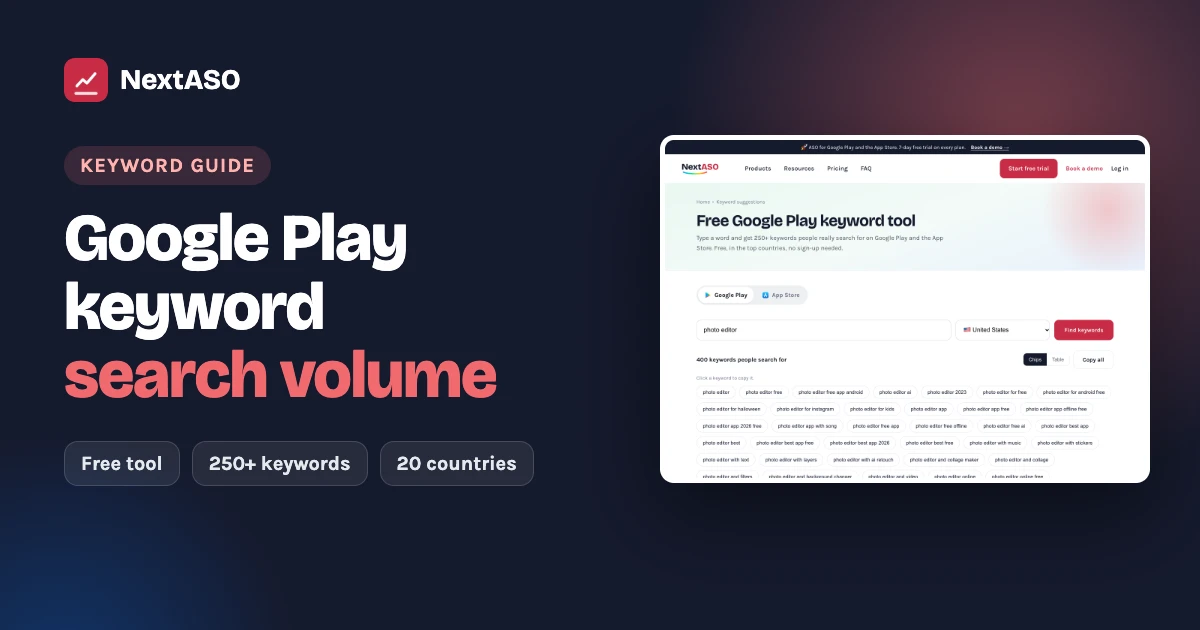
Open the free Google Play keyword tool and type the one word that describes your app, like habit tracker, budget or photo editor. Pick your country.
In seconds you get 250+ keywords people really search for. For photo editor in the United States, it found 400.
2. Look for the specific words
The list shows the long searches people make, such as:
- photo editor with text
- photo editor for instagram
- photo editor app offline free
- photo editor and collage maker
These are called long-tail keywords. Big apps fight over the broad word. The specific ones are often wide open for you. Read more in our guide to long-tail keywords for apps.
3. Check popularity and difficulty
Inside NextASO you see a popularity score and a difficulty score for each keyword. A great keyword has good popularity and difficulty your app can win.
| Keyword type | Popularity | Difficulty | Best for |
|---|---|---|---|
| Broad (photo editor) | Very high | Very high | Big, established apps |
| Mid (photo editor ai) | High | Medium | Growing apps |
| Long-tail (photo editor with layers) | Medium | Low | New and small apps |
Where to use the keywords you find
Google Play reads your whole listing, so place your best keywords here:
- App title (30 characters): your strongest word goes here.
- Short description (80 characters): one or two more keywords, written for people.
- Full description (4,000 characters): use each main keyword a few times in natural sentences.
Need help with length? Use our character counter. For the full picture, see how Google Play ranks apps in search and the Google Play ranking factors.
Track your keywords after you update
Finding keywords is step one. After you update your listing, track where you rank every day. NextASO shows your daily rank for each keyword in the top 30, so you see what works and what to change next. Learn more about keyword tracking.
Quick checklist
- Start with your main word in the free tool
- Save 10 to 20 specific keywords that match your app
- Put the best one in your title
- Add more in your short and full description
- Track your ranks and update every few weeks
Questions people ask
Does Google Play show keyword search volume?
Google Play does not show exact numbers, but its search suggestions show the most popular searches for each word. ASO tools like NextASO turn this into popularity and difficulty scores you can use.
What is a good search volume for an app keyword?
It depends on your app. New apps usually do best with medium-popularity, low-difficulty long-tail keywords. Bigger apps can go after broad, high-volume words.
Is there a free Google Play keyword tool?
Yes. The NextASO free keyword tool gives you 250+ keywords for popular words, for Google Play and the App Store, in 20 top countries, with no sign-up.
Is search volume different in each country?
Yes. People search with different words in each country, so always check keywords for the country you are targeting.
How often should I update my keywords?
Check your rankings every week and update your listing every 4 to 6 weeks, based on which keywords bring you up.