What is Play Store keyword research?
Play Store keyword research is finding the search words people type into Google Play, then picking the ones your app can realistically rank for. Get it right and your app shows up for searches that bring steady, free installs every day.
Google Play reads your title, short description and full description to decide which searches your app appears for. So the words you choose decide who finds you.
Step 1: Start with a seed list
Write down 10 to 20 words that describe what your app does, the way a user would say it, not the way your team would.
- What problem does the app solve? (for example budget planner, habit tracker)
- What would someone type if they didn't know your brand?
- What features do people mention in your reviews?
Step 2: Expand with Play Store suggestions
Type each seed word into the Google Play search box and note the autocomplete suggestions. These are real searches people make. A word that appears in suggestions has search demand behind it.
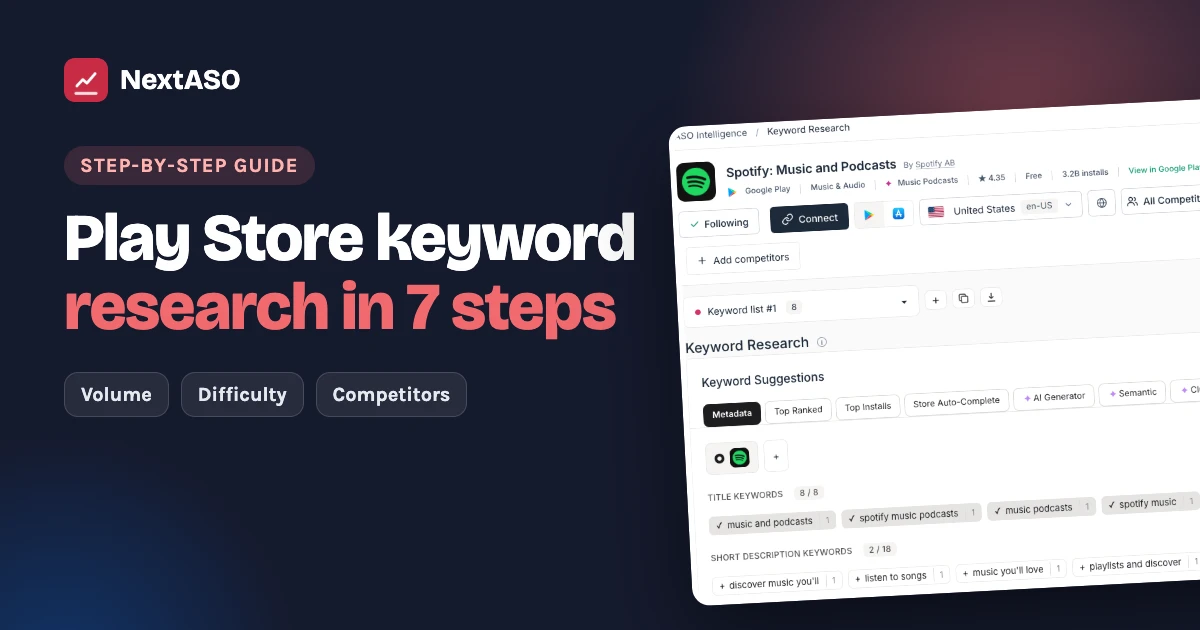
In NextASO, the keyword research screen shows these suggestions for any country and language in one place, so you can collect dozens of ideas in minutes.
Step 3: Check search volume and difficulty
For each keyword, look at two things:
| Metric | What it tells you |
|---|---|
| Search volume | How many people search for it |
| Difficulty | How hard it is to reach the top results |
A new app should aim for keywords with good volume and lower difficulty. Trying to rank for photo editor on day one is hard. Photo editor for product photos is a much better start. Read more in our guide to long-tail keywords for apps.
Step 4: Look at who already ranks
Search each keyword and study the top apps. Ask:
- Are the top apps huge brands with hundreds of millions of installs?
- Do they use the keyword in their title?
- Are their ratings strong?
If the top 10 are all giants, pick a more specific keyword. You can see installs, ratings and last update dates for top apps on our free Google Play app stats pages.
Step 5: Spy on your competitors' keywords
Your competitors have already done some of this work. Check which keywords they rank for and which ones you're missing. This is often the fastest way to find quick wins. Here is how to spy on competitor listings step by step.
NextASO's competitor analysis shows the keywords your rivals rank for, side by side with yours.
Step 6: Put keywords in the right places
Once you have your list, place it carefully:
- Title (30 characters): your single most important keyword. A "Brand - keyword" title works well, like Notes - Notepad & Lists.
- Short description (80 characters): your next 1 or 2 keywords, written naturally.
- Full description (4,000 characters): your main keywords repeated naturally a few times, plus related words.
Write for people first. Not sure your listing is ready? Run our 10-minute listing audit. Google Play rewards listings that convert, and a stuffed description turns users away.
Step 7: Track your ranks and repeat
Keyword research is not a one-time job. After you update your listing, track your rank for each keyword every day. Keep what works, swap what doesn't, and test again every few weeks.
NextASO tracks your keyword ranks daily in every country, so you see exactly what each listing change did.
Common keyword research mistakes
- Choosing only very popular keywords that a new app can't win
- Repeating the same keyword too many times in the description
- Forgetting other countries and languages
- Changing everything at once, so you can't tell what worked
Start your keyword research today
Good keyword research is the cheapest growth lever an app has. Start with a seed list, expand it, check volume and difficulty, learn from competitors, and track your results.
Try NextASO free for 7 days and find the keywords your app can win, from $9 a month. Comparing tools? See why teams pick NextASO as an AppTweak alternative. New to the terms? Read our keyword guide and ASO glossary.
Questions people ask
How do I find keywords for my app on Google Play?
Start with a list of words that describe your app, expand it with Google Play search suggestions, check each keyword's search volume and difficulty, and study which keywords your competitors rank for. A keyword research tool like NextASO does this in one place.
Where should I put keywords in my Play Store listing?
Put your most important keyword in the 30-character title, your next one or two in the 80-character short description, and use your main keywords naturally a few times in the full description.
How long does it take for new keywords to work?
Google Play usually reflects listing changes within a few days, and ranks settle over one to three weeks. Track your ranks daily so you can see the effect of each change.
Does Google Play have a keyword field like the App Store?
No. Google Play has no hidden keyword field. It reads your title, short description and full description, so the words in your visible listing do all the work.
What is a good keyword for a new app?
A good first keyword has steady search volume, lower difficulty and a clear match to what your app does. Specific phrases like "budget planner for couples" are usually easier to win than broad words like "budget".