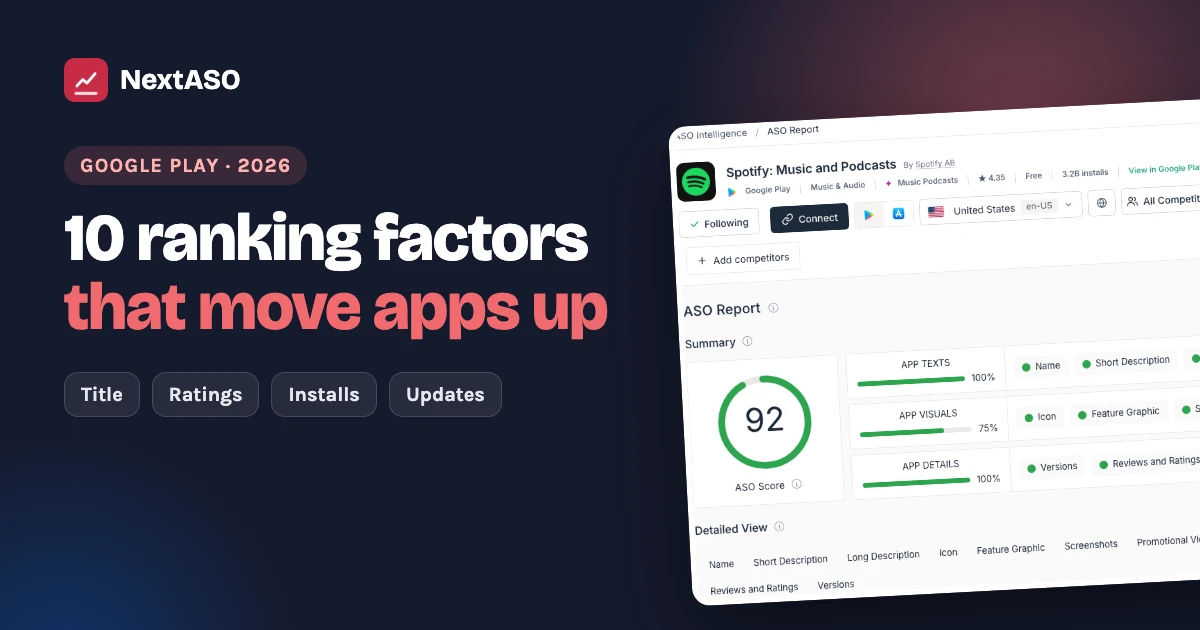
How does Google Play decide which apps rank first?
When someone searches on Google Play, the store picks the apps that best match the search and that people are most likely to install and keep. No one outside Google knows the exact formula, but the main factors are well known, and you control most of them.
Here are the ranking factors that matter most, and what to do about each one.
1. Your app title
The title is the strongest text signal on Google Play. You get 30 characters, so use them well.
- Put your most important keyword in the title
- A "Brand - keyword" title works well, like Notes - Notepad & Lists
- Keep it readable: people still have to tap it
2. Your short description
The short description (80 characters) is the first line people read under your screenshots, and Google Play reads it for search too.
- Add your next 1 or 2 keywords
- Say the main benefit in plain words
- Write it to make people tap Install
3. Your full description
Google Play reads your full description (up to 4,000 characters) to understand what your app does.
- Use your main keywords naturally, a few times each
- Add related words people search for
- Write for people first: keyword stuffing can hurt you
Not sure which keywords to use? Start with our Play Store keyword research guide.
4. Installs and install growth
Apps that many people install, and that keep getting new installs, rank higher. Google Play looks at both your total installs and how fast new installs come in.
This is why a launch push, a feature or a good ad campaign can lift your search ranks too.
5. Conversion rate: how many visitors install
When people see your app in search and open your page, how many of them install? A high conversion rate tells Google Play that your app is a good answer for that search.
What lifts it:
- A clear icon that stands out
- Screenshots that show the result, not just the menu
- A short video for apps that are easier to show than explain
- A strong rating
6. Ratings and reviews
Your star rating affects both your rank and your conversion rate. Most people skip apps below 4 stars.
- Ask for a rating at a happy moment in the app, not on first launch
- Reply to reviews, especially the bad ones
- Fix what people complain about, then say so in your reply
7. Retention and uninstalls
Google Play wants to show apps people keep. If many people install your app and remove it within days, that hurts.
- Make the first minute in your app great
- Make sure your listing matches what the app really does
8. App quality: crashes and speed
Google Play tracks crashes, freezes and battery use. Apps with poor technical quality can be shown less in search and in charts.
Check Android vitals in your Play Console and fix the biggest problems first.
9. Updates
Apps that update often look alive and cared for, and each update is a chance to improve your listing.
10. Local listings
Google Play ranks apps country by country. A listing in the local language usually ranks and converts better than an English one.
- Translate your title, short description and screenshots for your biggest countries
- Pick local keywords: people don't always search with a direct translation
How to put this into practice
You don't need to do everything at once. A simple order:
- Fix your title and short description with the right keywords
- Improve your screenshots and icon to lift conversion
- Work on your rating: ask at the right moment, reply to reviews
- Update regularly and test one change at a time
- Track your ranks every day so you see what each change did
NextASO shows where your app ranks for every keyword, every day, in every country, and how you compare with your competitors. Book a free demo to see it on your own app.
Want more? Read about long-tail keywords for apps, run a 10-minute listing audit, or see what your competitors change.
Questions people ask
What is the most important ranking factor on Google Play?
Your app title is the strongest text signal. After that, installs, conversion rate and ratings matter most, because Google Play wants to show apps people install and keep.
Does Google Play have a keyword field?
No. Unlike the App Store, Google Play has no hidden keyword field. It reads your title, short description and full description.
Do ratings affect Google Play ranking?
Yes. Your star rating affects both your rank and how many visitors install your app. Most people skip apps rated below 4 stars.
How often should I update my app for better ranking?
Regular updates help. Half of the Google Play apps with 10M+ installs shipped an update in the last 30 days. Each update is also a chance to test your listing.
How long does it take to see ranking changes on Google Play?
Listing changes usually show within a few days, and ranks settle over one to three weeks. Track your ranks daily to see the effect of each change.