What is App Store Optimization (ASO)?
App Store Optimization (ASO) is how you get your app found in Google Play and the App Store. You improve your store listing, the title, keywords, description, icon, screenshots and ratings, so your app ranks higher when people search, and more of those people download it.
Think of ASO as SEO for app stores. People type what they need, like "budget planner" or "photo editor", and the store shows a list of apps. ASO is the work of making your app one of the first they see, and the one they choose.
ASO has two goals that work together:
- Visibility: rank for the keywords people really search.
- Conversion: turn the people who see your listing into installs.
Why ASO matters
Search is the way most people find new apps. When someone searches the store, they already know what they want, which makes these installs some of the most valuable you can get:
- Free, steady growth. Organic installs keep coming every day, without paying for each one.
- Better ads. A strong listing converts better, so every paid click costs less.
- Users who stay. People who searched for exactly what you do tend to keep your app.
Want to see how much search can bring? Look at what similar apps earn with downloads and revenue estimates.
How app store search works
Both stores rank apps with two big questions:
- Is this app relevant to the search? The store reads your title and other text to match keywords.
- Do people like it? Installs, conversion rate, ratings, retention and app quality show the store that users are happy.
So ASO is never only about keywords. A perfect title won't hold a top spot if people skip your listing. Read the details in how Google Play ranks apps in search and the 10 Google Play ranking factors.
Step 1: Keyword research
Everything starts with the words people search. Good keyword research answers three questions for each keyword:
- Popularity: how many people search it?
- Difficulty: how strong are the apps already ranking?
- Relevance: does it really describe your app?
The sweet spot is long-tail keywords: specific phrases like "habit tracker for students" instead of just "habit tracker". They're easier to win and bring users who want exactly what you offer. See long-tail keywords for apps.
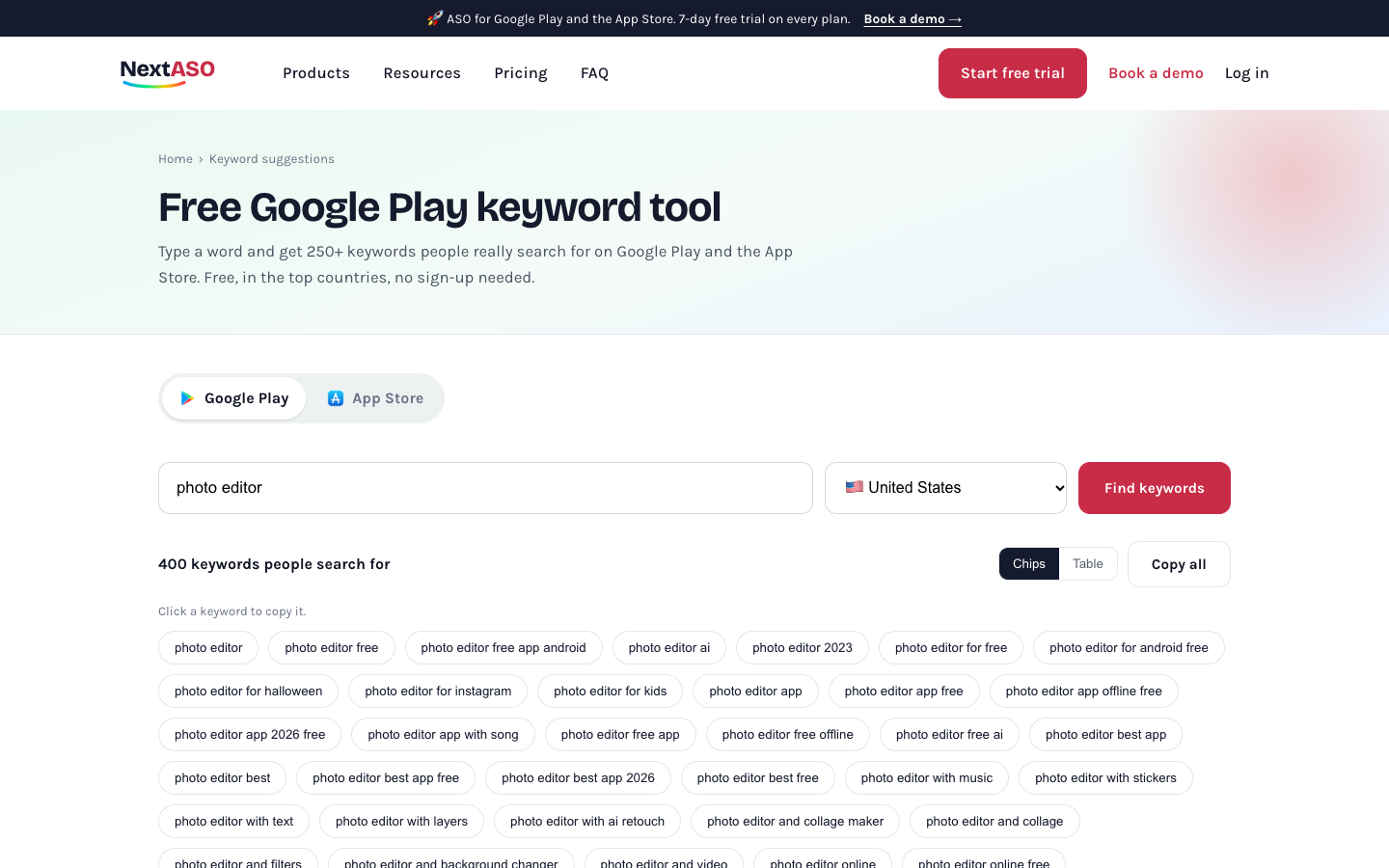
Start with the free keyword tool, then follow our step-by-step keyword research guide. To understand popularity numbers, read Google Play keyword search volume.
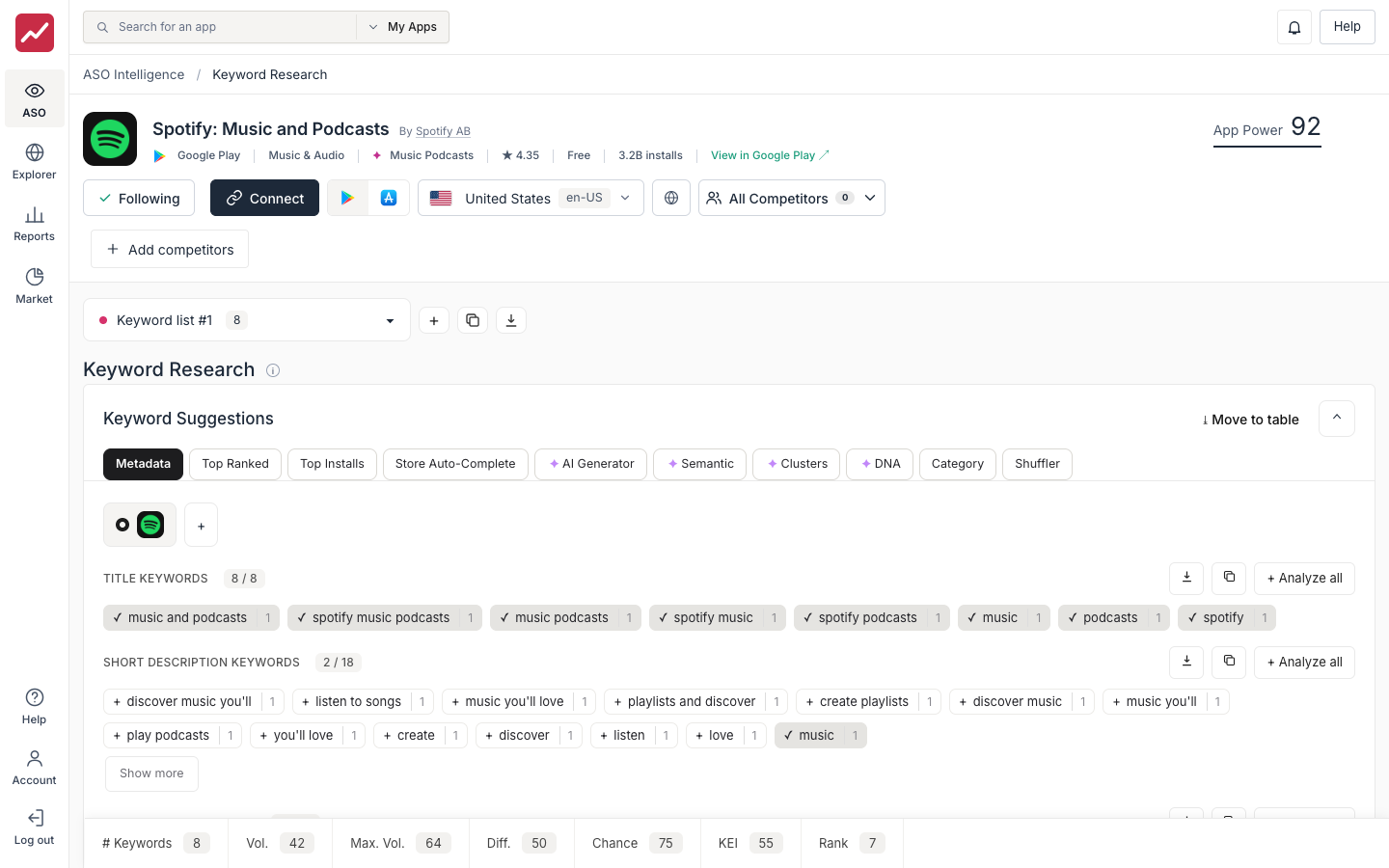
Step 2: Title, subtitle and descriptions
Your text tells the store what your app is about. Put your best keywords where they count most:
| Field | Google Play | App Store |
|---|---|---|
| Title | 30 characters, strongest signal | 30 characters, strongest signal |
| Second line | Short description, 80 characters | Subtitle, 30 characters |
| Hidden keywords | None | Keyword field, 100 characters |
| Long text | Full description, 4,000 characters, used for ranking | Description, 4,000 characters, for people |
Tips that work on both stores:
- Brand + main keyword in the title: "Calmly: Sleep Sounds" instead of just "Calmly".
- Write for people first. A clear benefit converts better than a list of keywords.
- On Google Play, use your main keywords a few times in natural sentences in the full description.
- On the App Store, don't repeat words in the keyword field that are already in your title or subtitle.
Check your lengths with the character counter.
Step 3: Icon, screenshots and video
Visuals decide whether people tap "Install". Your icon and first 2–3 screenshots appear right in search results, so they do most of the work.
- Icon: simple, bold, recognizable at small size.
- Screenshot 1: your main benefit, with a short caption that includes your main keyword.
- Screenshots 2–3: the features people search for most.
- Video: show the best moment in the first 3 seconds.
Get every size right, including the new iPhone Duo, with our App Store screenshot size guide.
Step 4: Ratings and reviews
Ratings affect both ranking and conversion. A 4.5★ app beats a 3.9★ app on almost every keyword.
- Ask for a rating at a happy moment, like after a win in your app, with the built-in prompt on iOS and Android.
- Reply to reviews, especially the unhappy ones. Fixed problems often turn into better ratings.
- Read reviews for keyword ideas: users describe your app in their own words.
Step 5: Competitor analysis
Your competitors are running experiments in public every day. Watch them to learn:
- Which keywords they rank for that you don't (your keyword gaps).
- What they change in their title, screenshots and descriptions, and what happens to their ranks after.
- How many downloads they really get, so you study the apps that are actually winning.
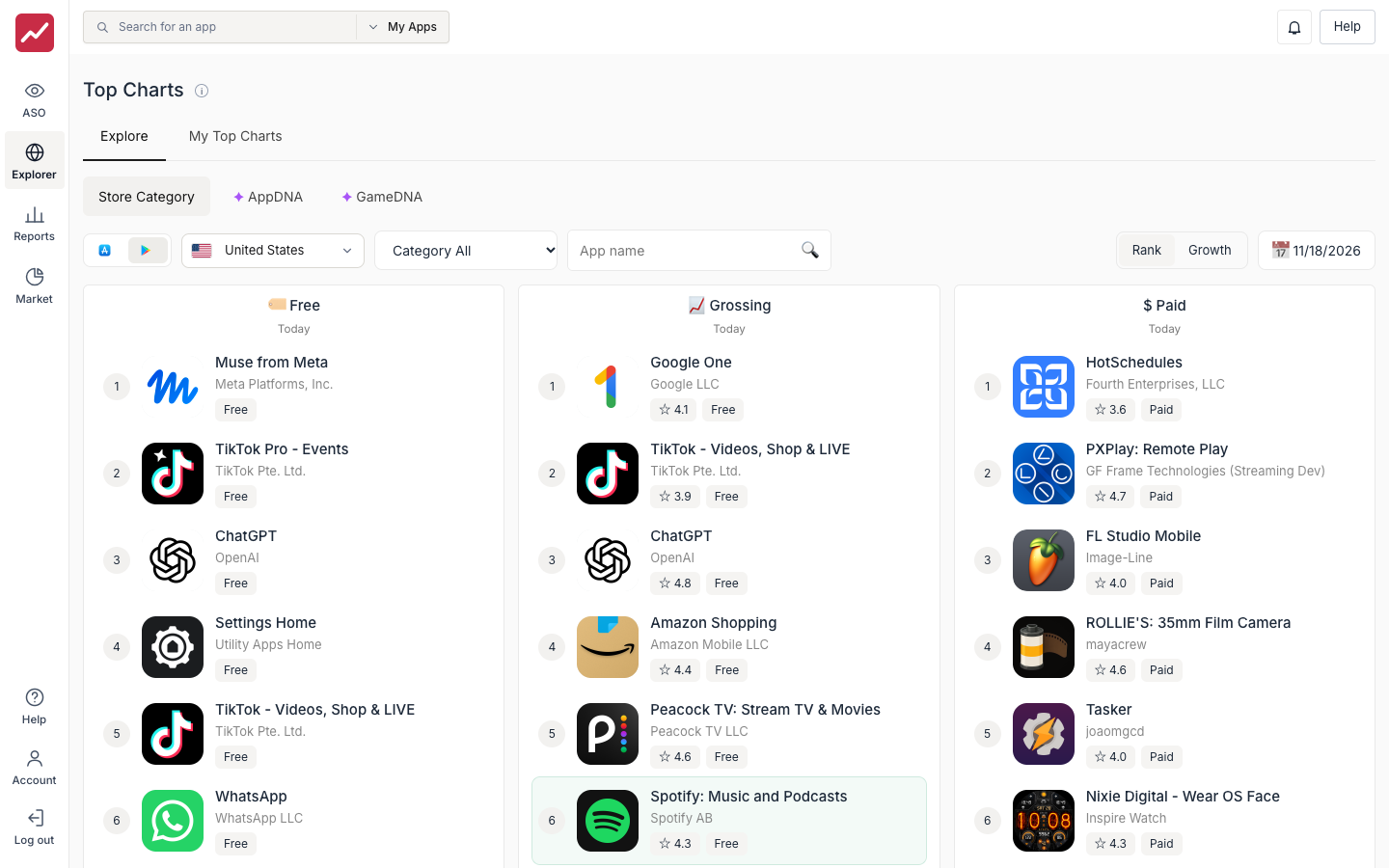
Follow our ASO competitor analysis guide, and see how competitor analysis and listing change alerts work in NextASO.
Step 6: Track, test and repeat
ASO is a loop, not a one-time job:
- Update your listing with new keywords or visuals.
- Track your rank for each keyword every day. In NextASO you see your daily position in the top results for every keyword and country. Learn about keyword rank tracking.
- Measure after 2–3 weeks: keep what moved you up, change what didn't.
- Test screenshots and icons with Google Play store listing experiments or App Store product page optimization.
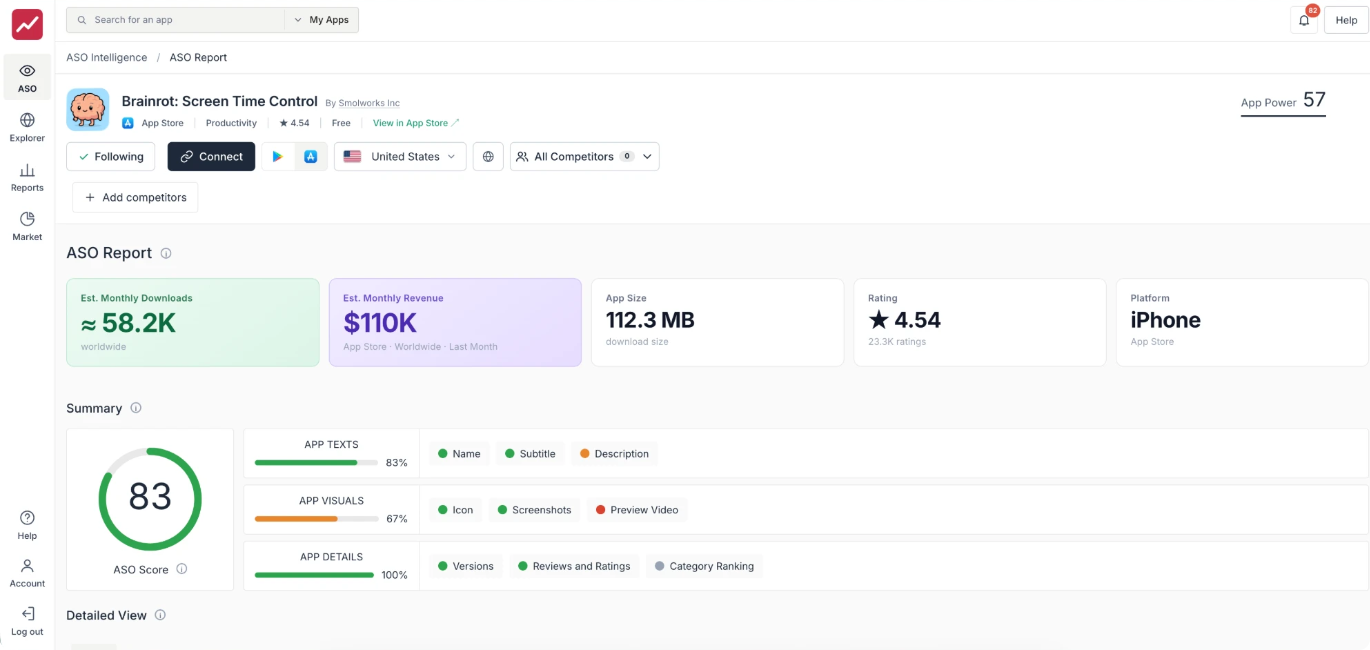
A quick health check helps too: try the 10-minute listing audit.
Google Play vs App Store: what's different
| Google Play | App Store | |
|---|---|---|
| Keywords from | Title, short and full description | Title, subtitle, keyword field |
| Description | Counts for ranking | For people only |
| A/B testing | Store listing experiments | Product page optimization |
| Updates | Listing text can change any time | Most text changes need a new version |
The full comparison: Google Play vs App Store ASO.
Your ASO checklist
- ☐ Find 10–20 relevant keywords with popularity and difficulty
- ☐ Main keyword in your title
- ☐ 1–2 more keywords in your subtitle or short description
- ☐ App Store keyword field filled, no repeats, no spaces after commas
- ☐ Google Play full description uses main keywords naturally
- ☐ First 2 screenshots tell the whole story
- ☐ Rating prompt at a happy moment
- ☐ 3–5 competitors added and watched
- ☐ Daily rank tracking on for your keywords
- ☐ Review results and update every 4–6 weeks
ASO tools
You can start ASO for free, and a dedicated tool makes it faster and clearer:
- Free: the NextASO free keyword tool, the character counter, app stats pages, Google Play Console and App Store Connect. See the best free keyword tools.
- NextASO: keyword research, daily rank tracking, competitor keywords, listing alerts, ASO report and downloads estimates, for Google Play and the App Store, from $9 a month with a 7-day free trial. See plans.
- Comparing tools? See NextASO as an alternative to AppTweak, Sensor Tower, Appfigures and MobileAction.
Keep learning
- Play Store keyword research, step by step
- Google Play ranking factors
- Long-tail keywords for apps
- App Store screenshot sizes 2026
- ASO glossary
- How to pick the right keywords
Questions people ask
What is App Store Optimization (ASO)?
App Store Optimization (ASO) is the work of improving an app's store listing, its title, keywords, description, icon, screenshots and ratings, so it ranks higher in Google Play and App Store search and turns more visitors into downloads.
Is ASO the same as SEO?
ASO is SEO for app stores. Both are about matching what people search, but ASO works inside Google Play and the App Store, where your title, keywords, ratings and installs decide your rank.
How long does ASO take to work?
Most apps see keyword rank changes within 1 to 4 weeks after a listing update. Bigger results come from steady updates every 4 to 6 weeks.
What are the most important ASO factors?
Your title, your keywords (subtitle and keyword field on iOS, short and full description on Google Play), your ratings, and how many people install after they see your listing.
Is ASO different on Google Play and the App Store?
Yes. Google Play reads your full description for keywords, while the App Store uses a hidden 100-character keyword field. Both rank apps by relevance and by how well they convert.
Can I do ASO for free?
Yes. You can start with a free keyword tool, Google Play Console and App Store Connect. An ASO tool saves time with keyword popularity, daily rank tracking and competitor data.